500K+
Videos Generated
Access Kling 3.0 directly on A1D. Generate 1080p HD videos from text or images in under 2 minutes, with free credits to start.
Describe what you want to see
0/2500
Trusted by creators and studios worldwide
Kling 3.0 is a cinema-grade AI video generation model developed by Kuaishou. On A1D, you can access Kling 3.0 directly — no separate account needed — to generate videos from text or images in Standard and Professional quality modes. Output is 1080p HD with optional AI-generated sound, supporting prompts in English, Chinese, Japanese, and Korean.
Standard mode (14 credits/sec) delivers fast, high-quality output for most projects. Professional mode (28 credits/sec) adds cinema-grade detail for premium productions.
Generate videos directly from text prompts with Kling 3.0. Describe scenes, actions, and styles in natural language and let the model produce 3–15 second clips ready for marketing, social media, or creative projects.
Use images to guide video generation. Kling 3.0 supports image-to-video mode, giving teams precise control over visual style, character consistency, and scene composition.
Create complex multi-shot videos with scene transitions and add AI-generated sound effects. Kling 3.0 supports customizable shot sequences and audio generation for professional-quality output.
| Aspect | Standard | Professional |
|---|---|---|
| Cost | 14 credits / sec | 28 credits / sec |
| Quality | Excellent, fast rendering | Cinema-grade detail |
| Best for | Social content, drafts | Premium productions, ads |
| Speed | Faster processing | Longer for max quality |
From idea to cinema-grade video in minutes — no account on Kuaishou required. Just describe, configure, and generate.
Enter a detailed prompt describing the video you want to create. Supports English, Chinese, Japanese, and Korean.
Select Standard or Professional quality mode and set your video duration from 3 to 15 seconds.
Pick 16:9 landscape, 9:16 vertical, or 1:1 square to match your target platform.
Hit generate and watch your video come to life. Download in full quality, ready to publish anywhere.
Average generation time: under 2 minutes
Real videos generated by the community on A1D — cinematic scenes, product ads, social content, and animation. Try any prompt yourself.
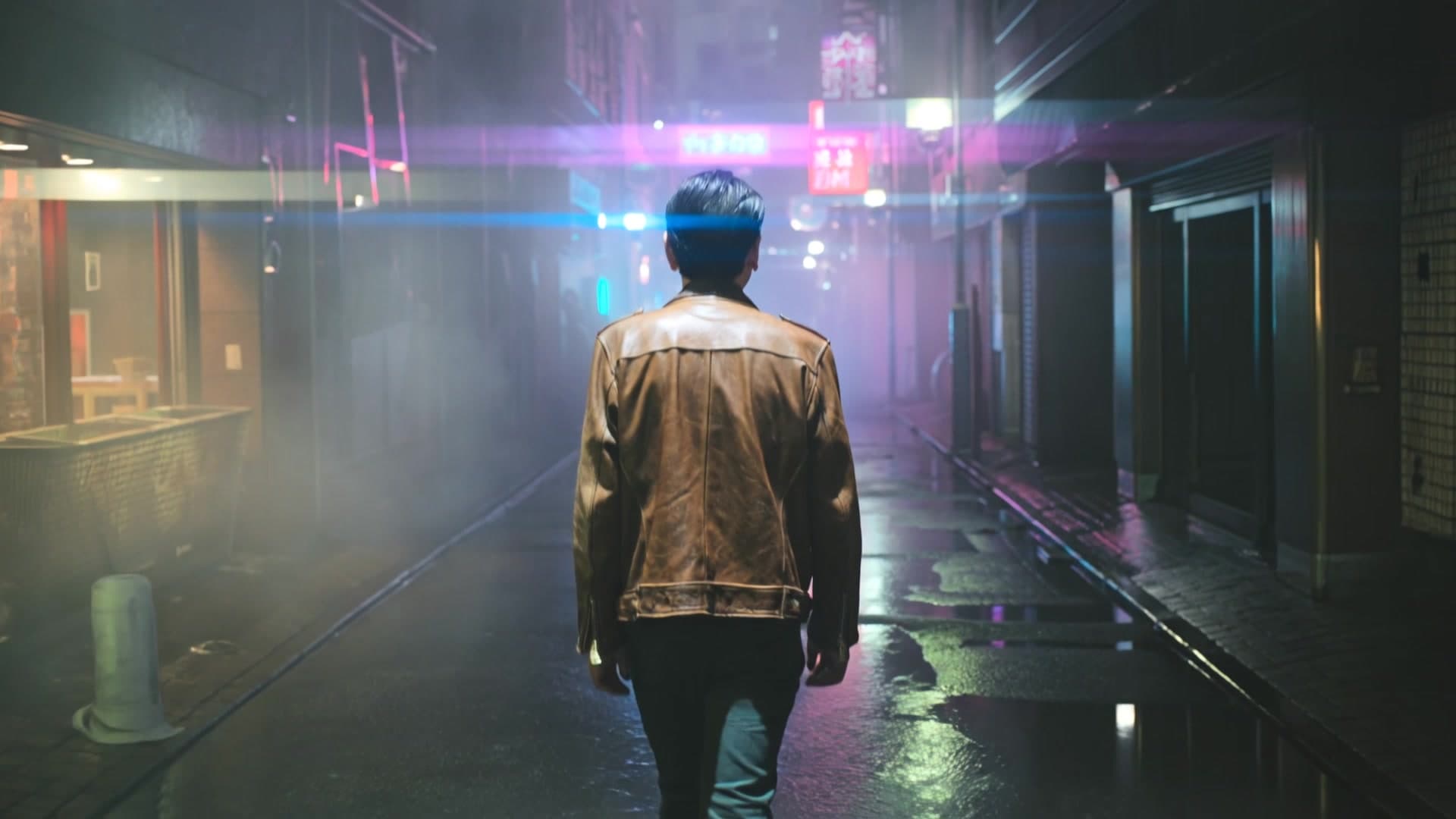
"A man in a vintage leather jacket walks through a rain-soaked Tokyo alley at night, neon signs reflecting in puddles, volumetric fog, cinematic anamorphic lens, slow tracking shot, Blade Runner atmosphere"
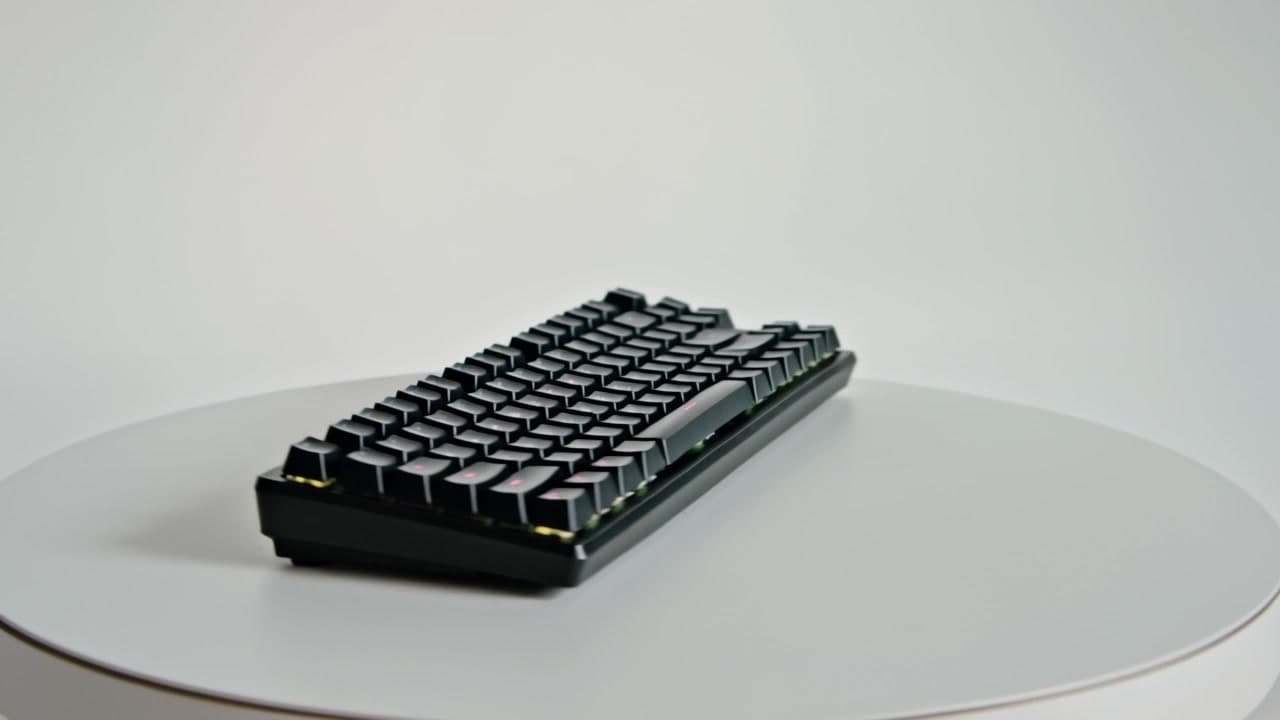
"A minimalist black matte mechanical keyboard on a pure white infinite studio background, rotating smoothly 360 degrees, RGB lighting gently breathing, commercial product photography, soft high-key lighting, 4K cinematic grade"
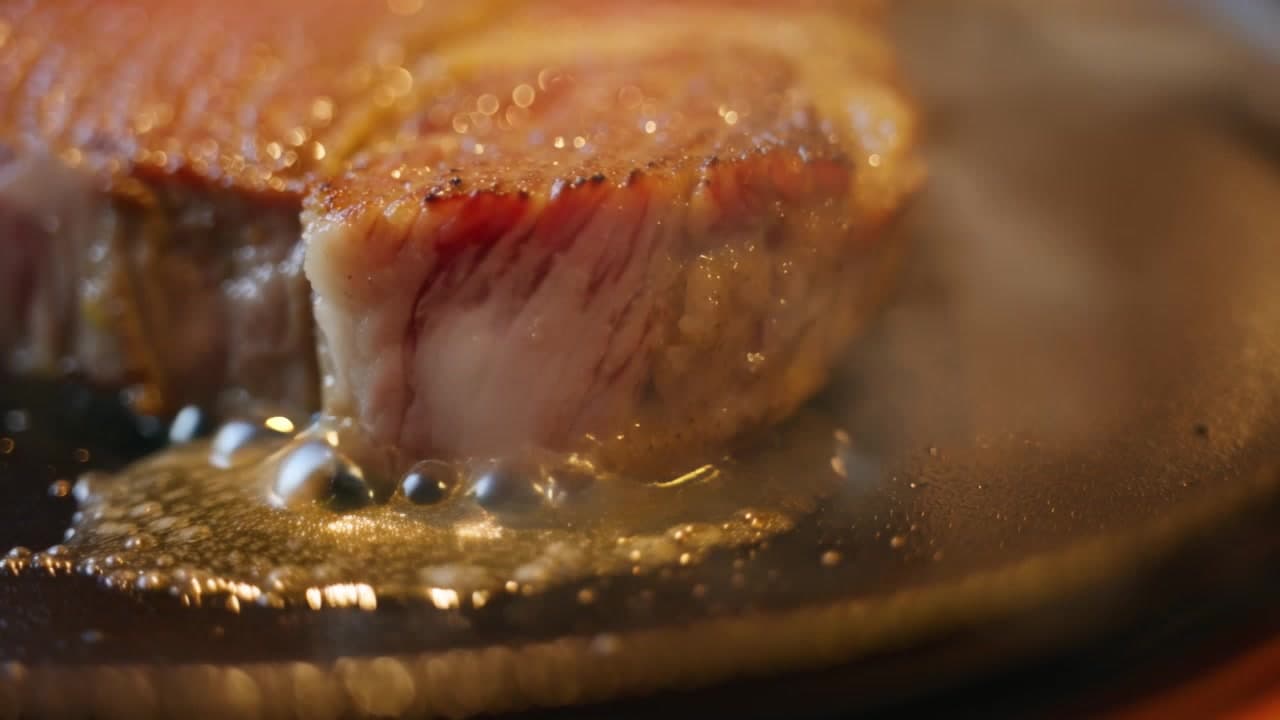
"Extreme close-up of sizzling wagyu beef steak on a hot iron plate, steam rising dramatically, golden butter melting and flowing over the surface, warm amber restaurant lighting, ASMR food photography, macro lens shallow depth of field, 4K detail"

"A warrior girl with flowing blue hair draws her katana dramatically in a cherry blossom storm, petals swirl in slow motion, anime style with cel-shading, dramatic speed lines, vibrant colors, dynamic camera swooping from low angle, epic lighting"
These examples represent just a fraction of what's possible with Kling 3.0
Content creators, marketers, and studios use Kling 3.0 through A1D to produce professional video content faster and at lower cost.
“Kling 3.0 Pro tier is a game-changer. The cinema-grade quality blew me away — my TikTok engagement doubled after switching from stock footage to AI-generated videos.”
“As a Chinese creator, I love that Kling 3.0 understands my prompts perfectly in Mandarin. The Standard tier gives me professional quality at an incredible price point.”
“We use Kling 3.0 for all our product ad campaigns in Japan. The multilingual support and platform presets save us hours of production time every week.”
Common questions about using Kling 3.0 on A1D. Contact our team for anything else.
Complete your creative workflow with these AI-powered tools that work perfectly together.
Enhance video resolution and quality with AI
AI video-to-video editing with style transfer and creative effects
Create AI-powered videos from text prompts and images
Generate professional AI videos from text prompts with cinematic quality
Enhance video resolution and quality with AI
Enhance video resolution and quality with AI
Generate professional AI videos from text prompts with cinematic quality
AI video-to-video editing with style transfer and creative effects
Continue your creative journey with these recommended tools.
From TikTok clips to product ads — generate broadcast-ready 1080p video in under 2 minutes. Start free, no credit card required.